

Introduction:
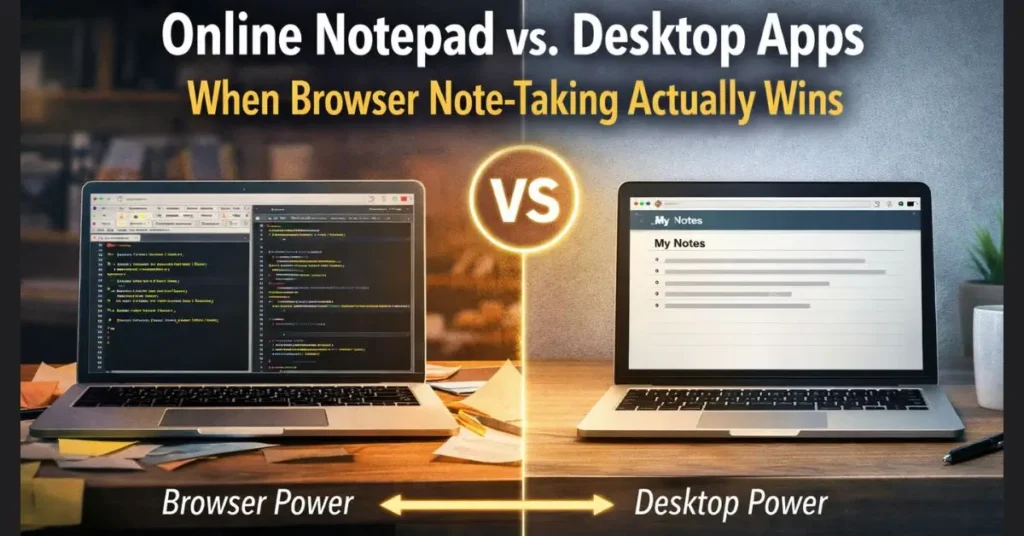
Online notepad vs desktop apps Every few years, someone declares the desktop app dead. Then someone else declares the browser too slow for serious work. Both are wrong, and both are right, depending on the job. Note-taking sits right on that fault line.
This is not a piece about which tool is best. There is no best. There is only the right tool for what you are doing right now. So let us compare honestly and figure out when a notepad in your browser beats a heavy desktop program, and when it does not.
The Case for Desktop Apps
Desktop note tools earned their reputation. Programs like Notepad++ and Sublime Text open fast, run without internet, and handle huge files without choking. If you edit code or wrangle log files all day, they are hard to beat.
Evernote and Apple Notes sit in a different lane. They sync across devices, store images, and organize thousands of notes into notebooks. For someone building a second brain over the years, that depth pays off.
The price is based on weight. You install them. You update them. You learn their menus. They sit in memory whether you use them or not. For a quick thought, that is a lot of machinery.
The Case for a Browser Notepad
Now flip it. You need to jot a phone number, paste some text to strip its formatting, or hold an idea for ten minutes. Opening a full app for that is like starting a car to move it three feet.
A browser notepad loads in a tab. No install. No account in many cases. You type, and the work saves on its own. When you switch computers, you open the same site, and your tools are already there. Nothing to carry.
Tools like Notepad. Lean into this. Beyond a blank page, many bundle small utilities, word count, case conversion, find and replace, that you would otherwise hunt for across separate sites. The convenience is in the gathering. One tab, many small jobs done.
Speed, Where It Counts
People argue about speed as if it were one thing. It is two.
There is launch speed, how fast the tool is ready. Here, the browser wins for anyone who keeps a browser open all day, which is nearly everyone. The tab is one click away. A desktop app, if closed, takes longer to wake.
Then there is processing speed, how fast the tool handles a heavy load. Here, the desktop wins. Open a half-gigabyte file in a browser tab and watch it struggle. A native editor barely notices.
So the honest answer is this. For small, frequent tasks, the browser feels faster. For large, demanding ones, the desktop is faster. Match the tool to the weight of the work.
Privacy and Control
This is where the comparison gets interesting. Desktop apps keep your notes on your own machine by default, which feels safe. Cloud syncing apps send your words to a server, which trades control for convenience.
Browser notepads vary. Some store your text only in the browser, never sending it anywhere. Others save to an account in the cloud. The difference matters, so it is worth checking before you trust a tool with anything sensitive. A notepad that keeps your text local, with no account required, gives you control close to a desktop app while keeping the browser convenience.
When the Browser Clearly Wins
Reach for a browser notepad when speed of access beats raw power. A few clear cases:
You work across many computers and refuse to install software on each one. The browser follows you.
You need a scratch pad for short bursts, names, numbers, and half-formed ideas, and you want zero setup.
You want small text utilities in one place rather than scattered across a dozen sites.
You value a clean, distraction-free page over a feature-packed interface that takes a manual to learn.
When the Desktop Still Wins
Be fair to the other side. Stay on a desktop app when:
You edit very large files or write code that needs syntax highlighting and plugins.
You manage a deep archive of notes across years and want notebooks, tags, and rich media.
You work offline often, on planes or in spots with no signal, and need full function without a connection.
The Verdict
There is no winner, only a fit. The desktop app is a workshop, full of tools, built for heavy jobs, worth the space it takes. The browser notepad is the pencil behind your ear, always there, ready in a second, asking nothing of you.
Most people need both. Keep a serious editor for serious work. Keep a browser notepad open for everything else. The mistake is forcing one tool to do the other’s job, then blaming the tool when it strains.
So stop asking which is better. Ask what the task weighs. The answer picks the tool for you.